
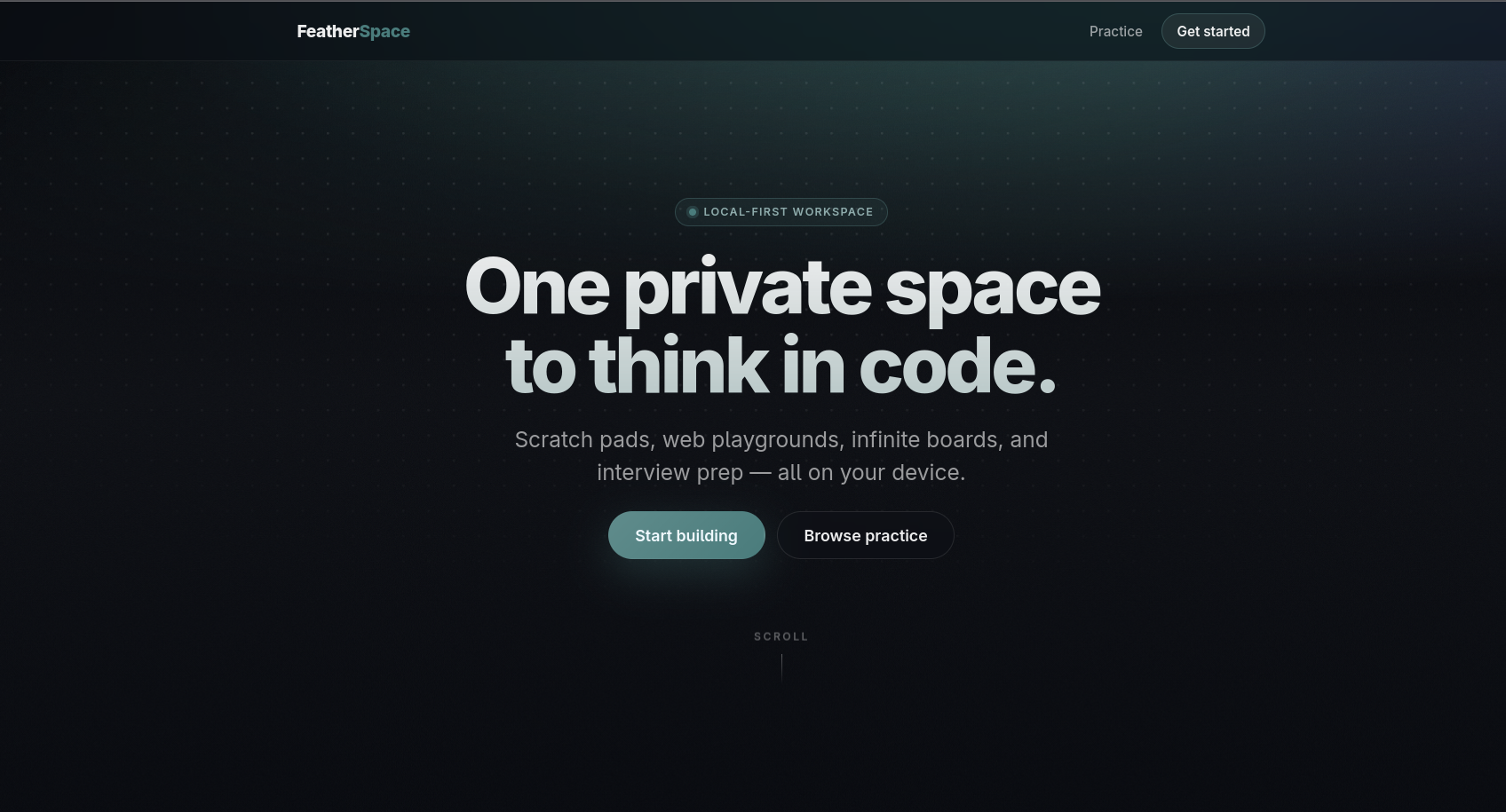
FeatherSpace started from a frustration I have with many browser-based coding tools: opening a scratchpad too often means creating an account, sending code to somebody else's server, organizing a quick experiment around somebody else's storage model, or accepting that the work is temporary.
I wanted something closer to opening a notebook. A place where I could write a few lines of JavaScript or Python, test an interview problem, build a small HTML/CSS/JavaScript page, sketch how pieces fit together, close the browser, and return later without first deciding whether the idea was important enough to become a project.
That became the central constraint behind FeatherSpace: the workspace should belong to the browser first. Spaces are persisted locally with IndexedDB and OPFS. JavaScript execution happens in the client. The normal path does not require an account or application database. Server-side infrastructure only becomes important when a user explicitly asks the workspace to do something inherently networked, such as collaborate with another person.
That distinction shaped nearly every architectural decision in the project.
Why FeatherSpace exists
FeatherSpace sits between two kinds of tools I use frequently.
At one end is the disposable scratchpad: fast to open, useful for ten minutes, and easy to lose. At the other is the full development project: a repository, directory structure, build system, dependencies, configuration, and all the ceremony that is justified once an idea has grown large enough.
A lot of useful work happens between those two points.
Sometimes I need to test a sorting function with a few inputs. Sometimes I want HTML, CSS, and JavaScript beside a live preview. Sometimes the useful representation is not code at all, but three shapes and an arrow. Interview preparation adds another variation: the code matters, but so do the test cases, previous runs, and the fact that I may want to come back to the same problem several days later.
The FeatherSpace home experience reflects that broader idea:
The application exposes practice and review alongside the workspace itself rather than treating interview preparation as a completely separate tool. Scratch and Web spaces are starting points, while backup, restore, and trash operations reinforce the more important promise underneath them: these are persistent workspaces, not disposable editor tabs.
The product is deliberately not positioned as a replacement for a full IDE. It is a persistent place for work that deserves more than a temporary text box but less ceremony than a repository.
One workspace, three ways to think
The core abstraction in FeatherSpace is the Space. What changes is how that space is used.
Scratch Space
Scratch Space is the fastest path into executable code. It supports JavaScript and Python, standard input, execution output, and test cases. For interview preparation, a scratch workspace can also carry problem-specific state so the implementation and its tests remain together.
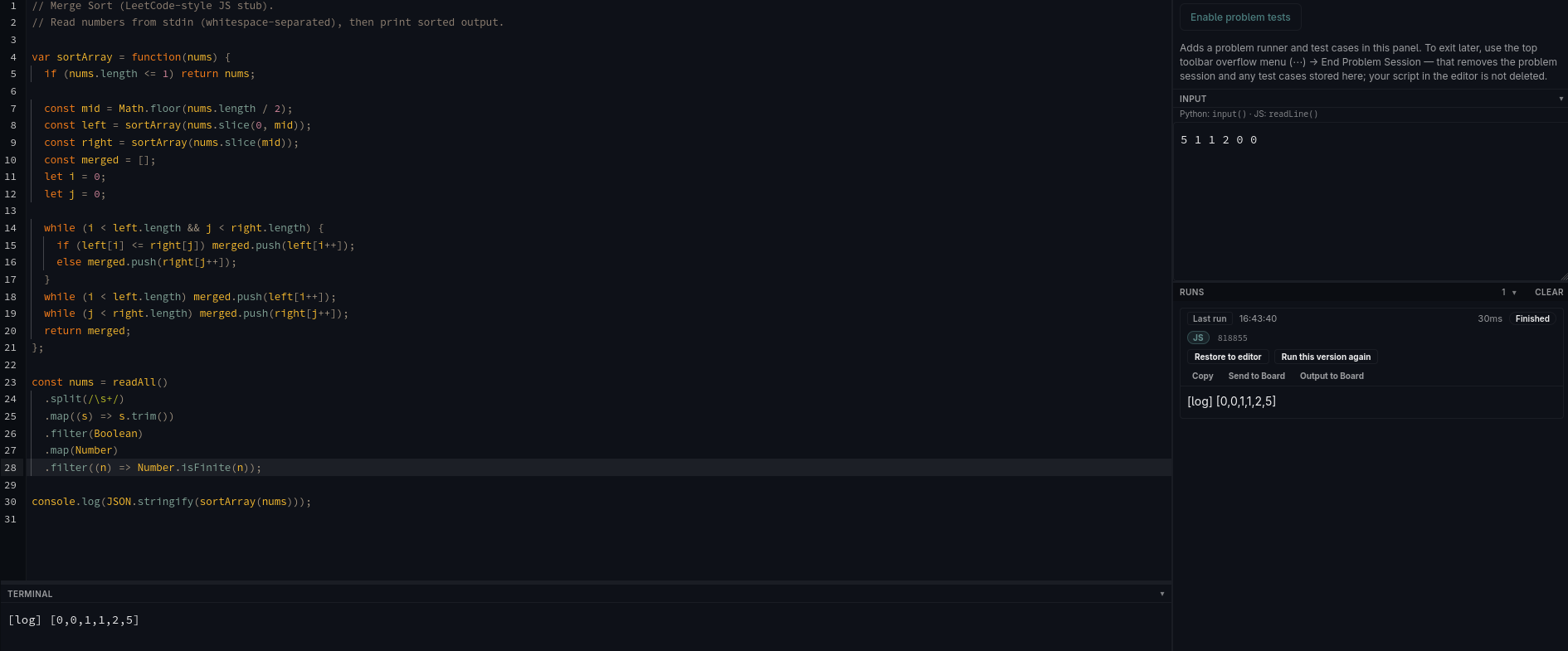
The screenshot shows why persistence matters even for something as small as a sorting problem. The useful artifact is not only the current source code. There is input, a completed run, output, and the ability to restore or rerun a previous version. A quick experiment gradually becomes a record of the reasoning that produced it.
That is also why I did not want a scratch space to disappear when the browser tab closes. Small code is still work.
Web Space
When an idea crosses from a program into an interface, Web Space provides separate HTML, CSS, and JavaScript editing with a live preview and browser console.
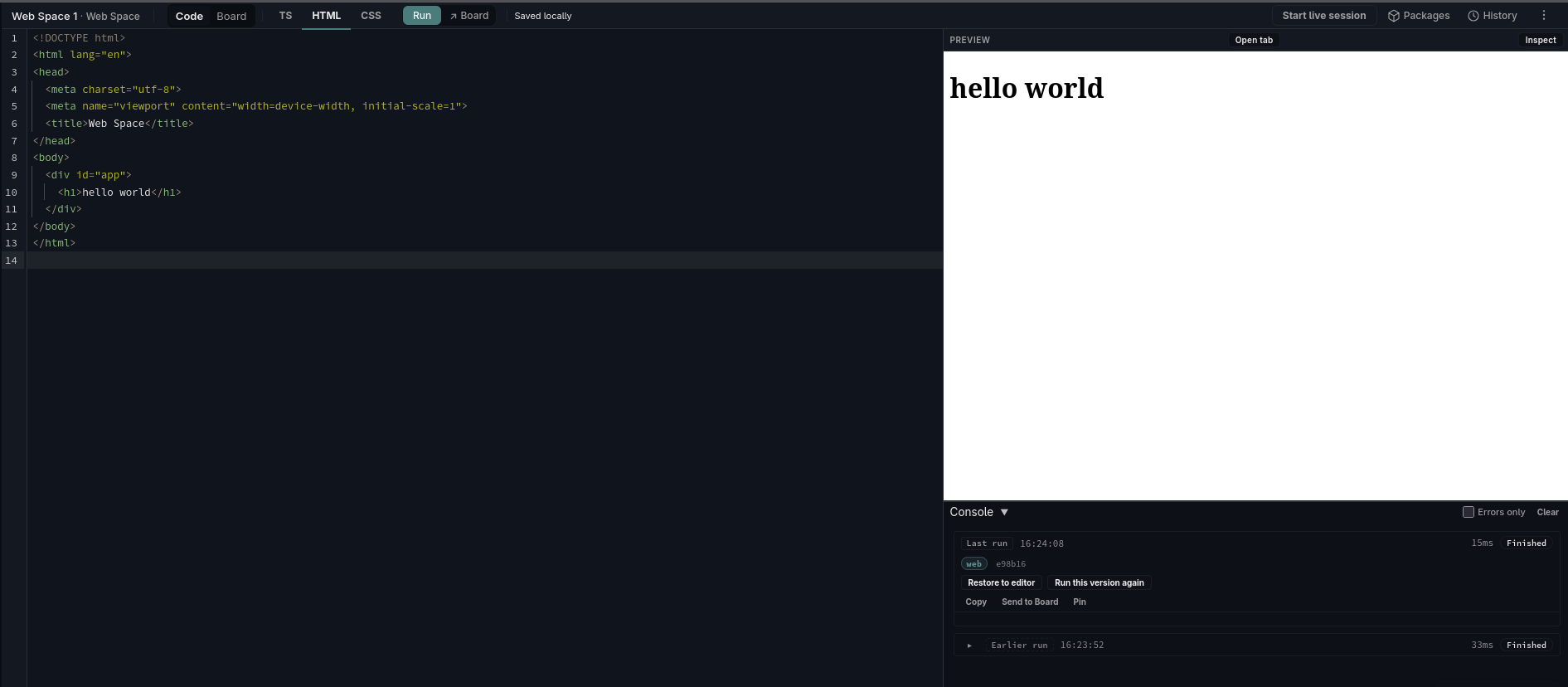
The goal was not to reproduce a complete desktop IDE in a browser. It was to keep the short feedback loop of a tool such as CodePen while changing the ownership model. The files and workspace state remain local by default, and the same space can move between implementation and visual thinking without becoming a new project.
Board
The third surface is the Board, an open visual canvas for shapes, text, connections, diagrams, annotations, and code-adjacent thinking.
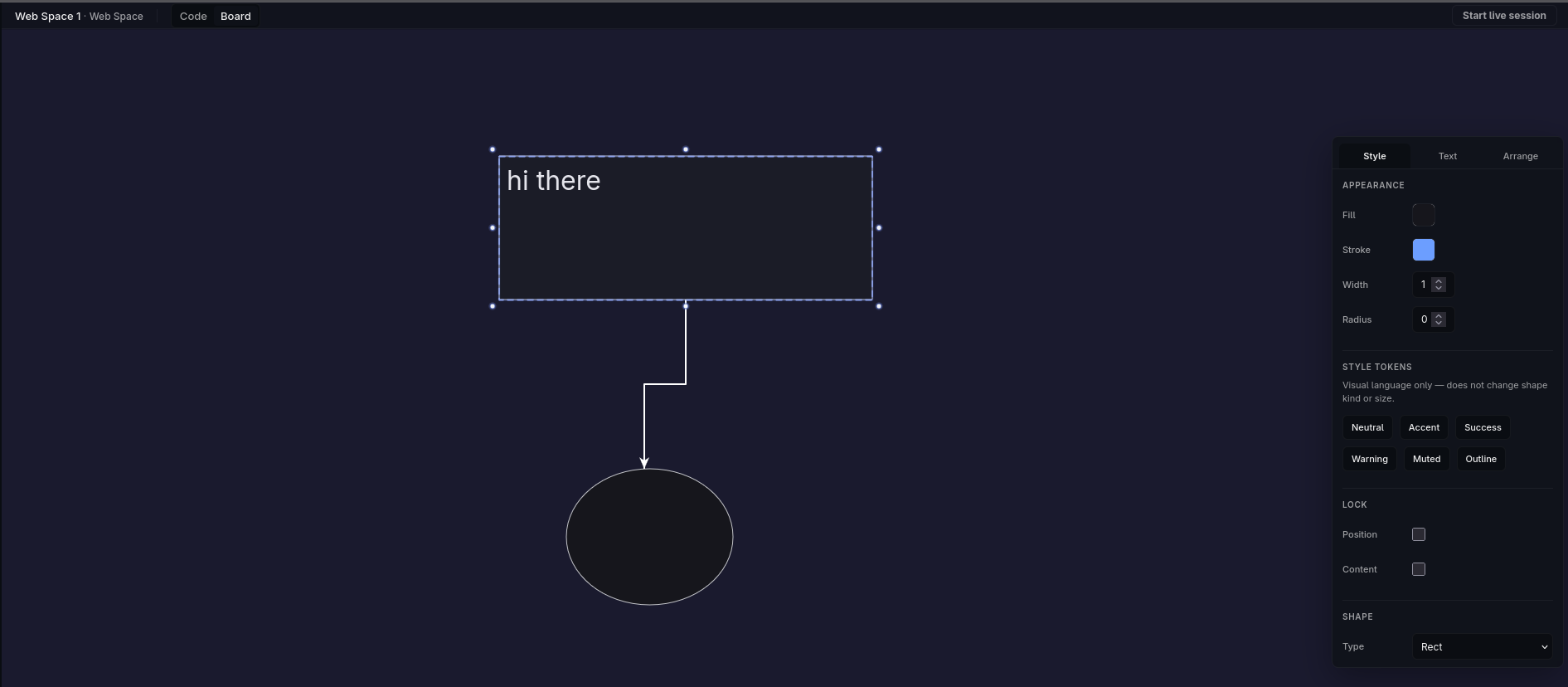
I wanted the transition between implementation and explanation to be inexpensive. Some problems become clearer by writing a function; others become clearer by drawing two boxes and an arrow between them. Requiring a separate diagramming application introduces friction precisely when the point of the sketch is to avoid ceremony.
Code and Board therefore belong to the same Space rather than pretending visual reasoning and implementation are unrelated activities.
Local-first is the default data path
"Local-first" can sound like a storage preference. In FeatherSpace it is closer to an architectural boundary.
IndexedDB holds structured application state, while OPFS is available for data that fits a filesystem-oriented model more naturally. Spaces are expected to survive reloads and browser restarts, and returning to FeatherSpace should feel like reopening a workspace rather than beginning a new browser session.
The normal data path is intentionally short:
user
  ↓
browser
  ↓
IndexedDB / OPFS
There is no account service involved simply because the user typed some code. There is no application API that must acknowledge a save before the workspace can consider itself durable.
At the architectural level, the product looks roughly like this:
The significant boundary is between ordinary usage and collaboration. Persistence and execution remain local. Network infrastructure appears when the user chooses to connect a workspace to somebody else.
That keeps server-side systems in a supporting role rather than making them the center of the application.
Running code without a remote execution service
JavaScript execution follows the same local-first philosophy.
FeatherSpace runs esbuild-wasm inside a Web Worker so bundling work does not block the main UI thread. Dependencies can be resolved from public package registries, and the final output is rendered inside a sandboxed iframe rather than inside the React application that controls the editor.
That produces several useful boundaries:
editor
  ↓
worker
  ↓
bundler
  ↓
sandboxed runtime
The separation is important because arbitrary workspace code should not simply execute inside the same environment that owns FeatherSpace itself. The editor, bundling process, application UI, and rendered output have different responsibilities and should not automatically share one execution context.
The result is still a fast development loop: edit, run, inspect the output, change something, run again. What is different is where the work happens. FeatherSpace does not require a proprietary remote compiler merely to evaluate ordinary client-side code.
Python follows the same product principle: experimentation should happen from within the local workspace rather than requiring the user's source code to become application-owned server data.
Run history is part of the experiment
Execution is more useful when the tool remembers more than the last result.
The Scratch interface keeps run output and previous executions beside the editor. A user can inspect the latest run, restore a previous version to the editor, or execute that version again. This turns execution history into part of the workspace instead of treating every press of Run as disposable.
For coding practice, the same principle applies to input and tests. The problem context, solution, test cases, and outputs belong close to one another because they describe one experiment.
This is a small product detail, but it reinforces the local-first model. Persistence is not only about saving the current text buffer. It is about preserving enough context that returning later still makes sense.
Web workspaces combine code, preview, and history
Web Space uses a similar model but applies it to browser interfaces.
The HTML, CSS, and JavaScript editors sit beside a live preview, while console output and previous runs remain inspectable in the same workspace. That makes the browser both the authoring environment and the target runtime.
The screenshot also exposes another important product boundary: Code and Board are two modes of the same workspace. A web experiment can move into a visual representation without exporting everything into a separate diagramming application, and output can be pushed toward the Board when that representation is more useful.
The point is not that every coding environment needs a drawing canvas. The point is that FeatherSpace is designed around the way small ideas actually change shape.
Collaboration should not redefine where the workspace lives
Local-first becomes harder the moment another person needs to participate.
I did not want adding collaboration to quietly turn FeatherSpace into a traditional cloud editor where the remote server becomes the canonical document owner. Collaborative sessions instead use Yjs for shared state and WebRTC for peer communication.
A host starts a session, shares an invite link, and participants negotiate a connection through lightweight signaling infrastructure. Once connected, application data can move over the peer connection. TURN is available for networks where a direct WebRTC route cannot be established.
Yjs supplies the CRDT layer so concurrent edits can converge without requiring a central editor process to decide which participant's state wins.
Collaboration applies to both coding surfaces and the Board. A shared session can therefore contain implementation, visual explanation, or movement between both.
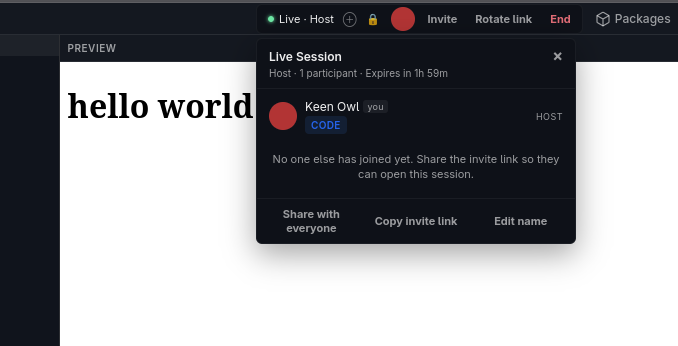
The interface keeps that networked mode explicit. Starting a live session is a deliberate action; simply opening a workspace does not make it collaborative or move it elsewhere.
Encryption makes the trust boundary clearer
Once collaboration existed, another question became important: how much should the signaling infrastructure be able to learn about the session?
New FeatherSpace sessions therefore enable end-to-end encryption by default. Collaborative payloads are encrypted with AES-GCM, and the encryption key is carried in the URL fragment of the invitation rather than being sent to the signaling service. The client keeps that key in session storage rather than persistent local storage.
The signaling layer still has a role—it helps peers discover one another—but it does not need the key used to decrypt collaborative application content.
That distinction does not turn the entire environment into a magically private system. The security of the client still matters. Package sources still matter. TURN infrastructure and analytics configuration still have their own trust considerations.
What encryption does is narrow one important boundary: the service responsible for helping two browsers connect does not also need to understand the workspace data passing between them.
The infrastructure is deliberately smaller than the product
FeatherSpace does have server-side infrastructure. It just does not exist to own the workspace.
The frontend is a static Vite application that can sit behind a CDN. Production signaling uses Cloudflare Workers and Durable Objects, while a small Node/WebSocket signaling implementation is available for local development. A coturn deployment provides TURN support when WebRTC cannot establish a direct route.
This means the infrastructure scales with the features that actually require infrastructure.
A user writing a JavaScript function does not need an application server.
A user drawing a diagram does not need one either.
Two people trying to synchronize a workspace over different networks do.
That sounds obvious when written out, but it is an architectural property I wanted to preserve rather than something that happened automatically.
Designing for the parts that fail
WebRTC is elegant in diagrams and much less tidy on real networks.
Peers disconnect. Browsers differ. NAT traversal fails. A page can refresh halfway through a collaborative session. One peer may already have local state when remote shared state arrives. Reconnection creates transitions that are difficult to reproduce by clicking around manually.
Because of that, collaboration became one of the most heavily tested areas of FeatherSpace.
Vitest covers unit behavior, while Playwright exercises end-to-end flows including host and guest joins, encrypted invitation links, Scratch synchronization, Board synchronization, and follow behavior. A separate load test can create multiple peers and record synchronization behavior, frame-rate information, and memory metrics over longer sessions.
Some scenarios still need real-device and real-network testing. TURN connectivity, offline-to-reconnect transitions, browser differences, and multi-peer sessions are examples where mocks cannot tell the whole story.
That is an important limitation of testing distributed browser behavior: passing an automated test against a controlled transport is not the same thing as proving the feature behaves correctly on an awkward network.
Product details determine whether it feels like a tool
The architecture is the technically unusual part of FeatherSpace, but architecture alone does not make something pleasant to reach for.
The command palette became one of the small pieces that helps hide the mechanics:
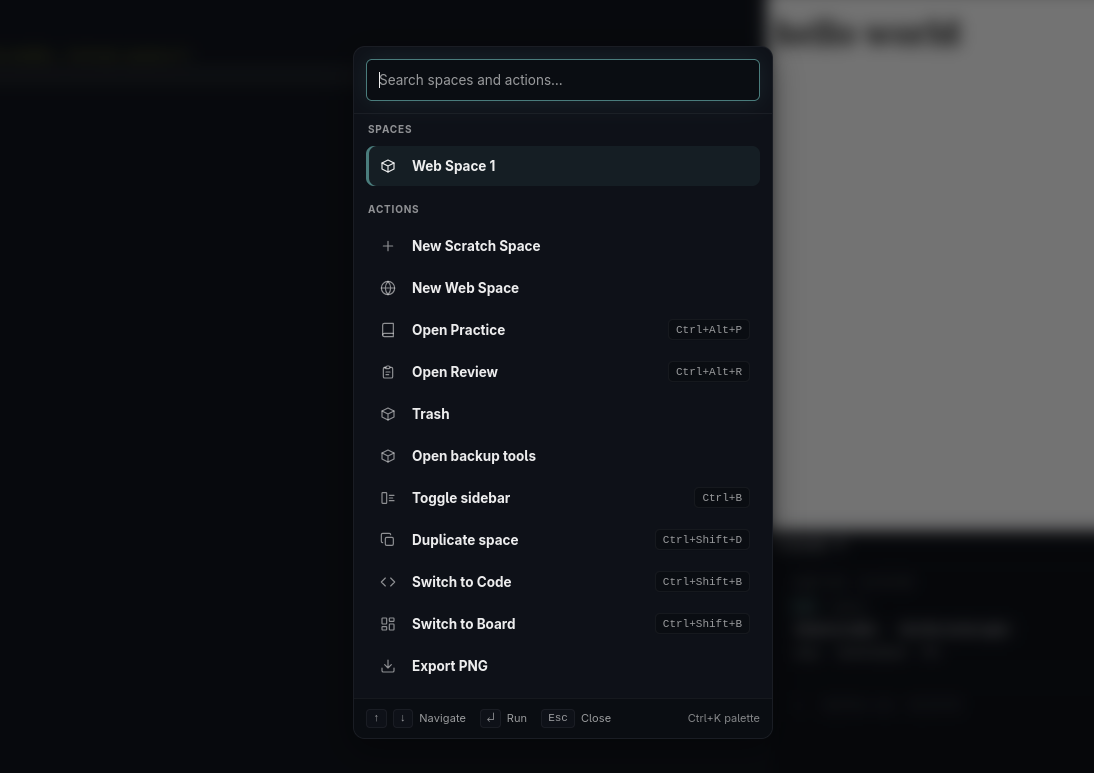
A user can find spaces, create a Scratch or Web workspace, open practice or review flows, manage backups, duplicate a space, switch between Code and Board, or export the Board without navigating through a hierarchy of settings screens.
The application also remembers the previous workspace and restores it when the user returns. Language support is loaded lazily rather than putting every editing mode into the initial bundle.
Individually, none of those details is architecturally dramatic. Together they decide whether FeatherSpace feels like an application that needs to be operated or a tool that can simply be opened when an idea appears.
That distinction was important to me from the beginning.
Where FeatherSpace deliberately stops
FeatherSpace is not trying to replace VS Code, CodePen, Excalidraw, LeetCode, or a full collaborative IDE.
It also does not eliminate every compromise associated with local-first software. Browser storage is still browser storage. Collaboration still depends on signaling and, in some network conditions, TURN infrastructure. Peer-to-peer behavior still has to survive browser differences and network failure. Executing code in the browser requires careful runtime isolation.
The project instead chooses a narrower promise: give small and medium-sized coding thoughts a durable home without forcing them into a cloud account or a full repository, then make collaboration available when the work actually needs another person.
That narrower scope is what makes the architectural decisions coherent.
What FeatherSpace taught me
FeatherSpace brought together several engineering areas that are often hidden behind larger platforms: browser persistence, code execution, worker isolation, CRDT synchronization, WebRTC negotiation, NAT traversal, end-to-end encryption, distributed-state testing, and production delivery.
The useful lesson was not that all browser tools should adopt that stack.
It was that architecture becomes easier to reason about once the product's trust and ownership boundaries are explicit.
The workspace belongs to the browser, so persistence lives there. Execution is a browser capability, so it does not automatically become a remote service. Collaboration requires a network, so networking infrastructure appears only for that mode. Signaling needs connection metadata, but it does not need collaborative plaintext, so encryption limits what that layer has to be trusted with.
Those are product decisions as much as technical ones.
FeatherSpace also reinforced something simpler: a sophisticated implementation should still produce a product that is easy to explain. The architecture spans local storage, Web Workers, WebRTC, CRDTs, encryption, signaling, and TURN, but the user-facing idea should still fit into a sentence.
Takeaway
FeatherSpace is a persistent place between an empty text editor and a full project.
You can open a Scratch Space, solve a problem, keep the input and run history, and return later. You can move to Web Space when an idea becomes HTML, CSS, and JavaScript. You can switch to the Board when drawing is clearer than typing. And when another person needs to participate, you can start a live session without first moving the workspace into a centralized application database.
The technically interesting part is how those capabilities preserve the same underlying ownership model. Persistence happens locally. Execution stays primarily in the browser. Collaboration uses peer connections and shared CRDT state. Encryption narrows the trust placed in supporting infrastructure.
The product itself remains intentionally simpler than the architecture underneath it:
Open a space. Try something. Keep it. Share it when you need to.