

A deployment can succeed and still look broken.
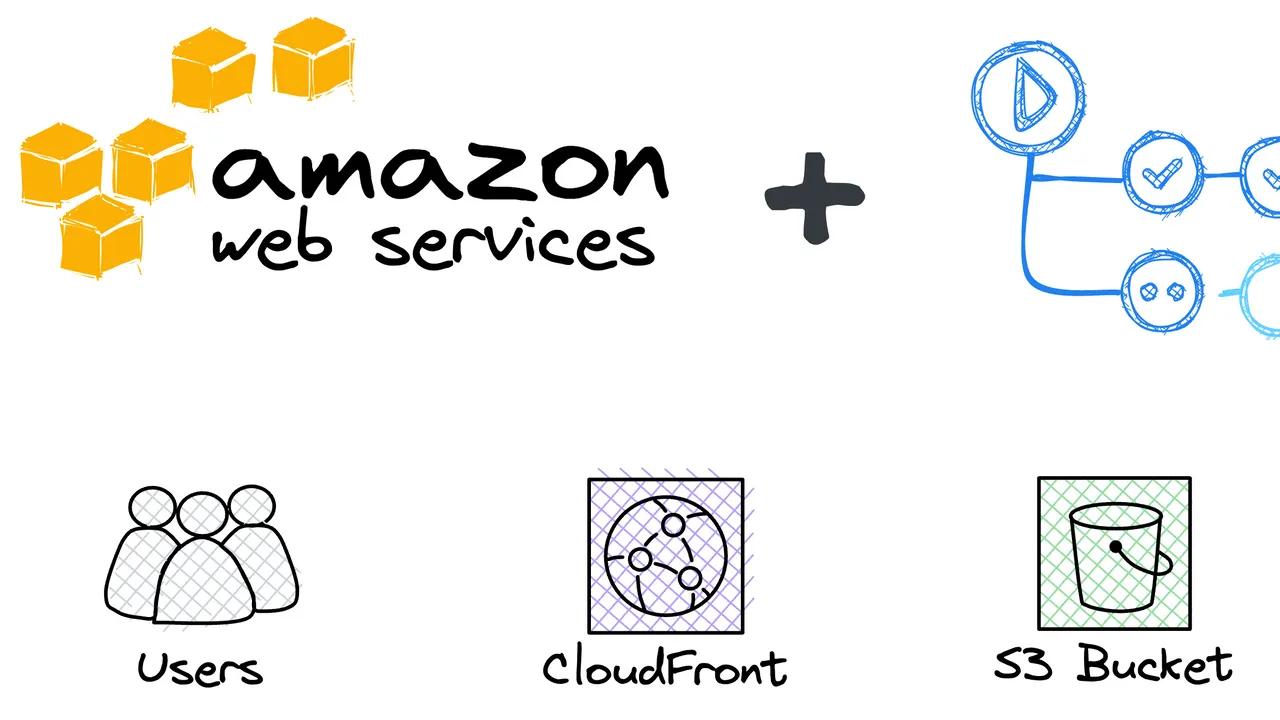
That was the situation I ran into with karuifeather.com. I was using Amazon S3 to store the built site and CloudFront in front of it to serve the site. After pushing an updated React build, the files in S3 were current, but the public site was still showing the previous version.
The important lesson was that deployment and delivery were two separate concerns. S3 had the new build; CloudFront still had a cached response for a path the browser was requesting.
The problem
I started by checking the origin instead of assuming the deployment itself had failed.
Opening index.html directly from S3 showed the latest build, so the upload had worked. But loading the public domain still returned the older site. That narrowed the problem down to the layer between the browser and S3: CloudFront.
Looking at the HTML being served through CloudFront made the mismatch visible:

main.a5d9bb5f.js, which no longer matches the JavaScript bundle produced by the newer build.The current build files in S3 looked different:
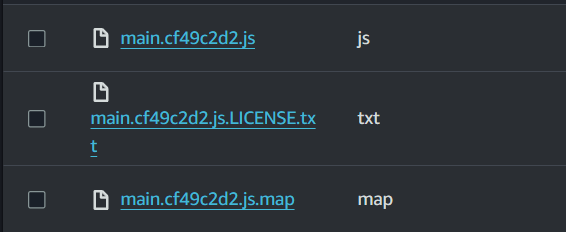
main.cf49c2d2.js, confirming that the deployment reached the origin even though CloudFront was still returning HTML that referenced an older asset filename.That distinction matters. The new JavaScript file existed, but users would not request it if the cached index.html was still telling their browsers to load the old bundle.
Why CloudFront served the old build
CloudFront caches responses from an origin such as S3. Once an object is cached for a request path, CloudFront can continue serving that cached response according to its cache policy and expiration settings.
That means replacing index.html in S3 does not automatically replace every cached copy of /index.html at the edge.
For a React build, this can create a confusing state:
- S3 contains the latest
index.html. - S3 also contains newly generated JavaScript and CSS bundles.
- CloudFront still serves an older cached
index.html. - That older HTML continues pointing the browser at older hashed asset filenames.
The deployment itself can therefore be correct while the site still appears stale.
NoteHashed asset filenames help because a new build usually creates new object names. The HTML entry point is different: its path commonly remains
index.html, so caching that path too aggressively can keep an older build connected to users longer than intended.
Invalidating cached content
The immediate fix is to invalidate the stale CloudFront object so the next request causes CloudFront to retrieve the current version from the origin.
You can do this manually from the CloudFront distribution's Invalidations tab. To invalidate everything, use /*. If only a specific path needs to be refreshed, you can invalidate that path instead.
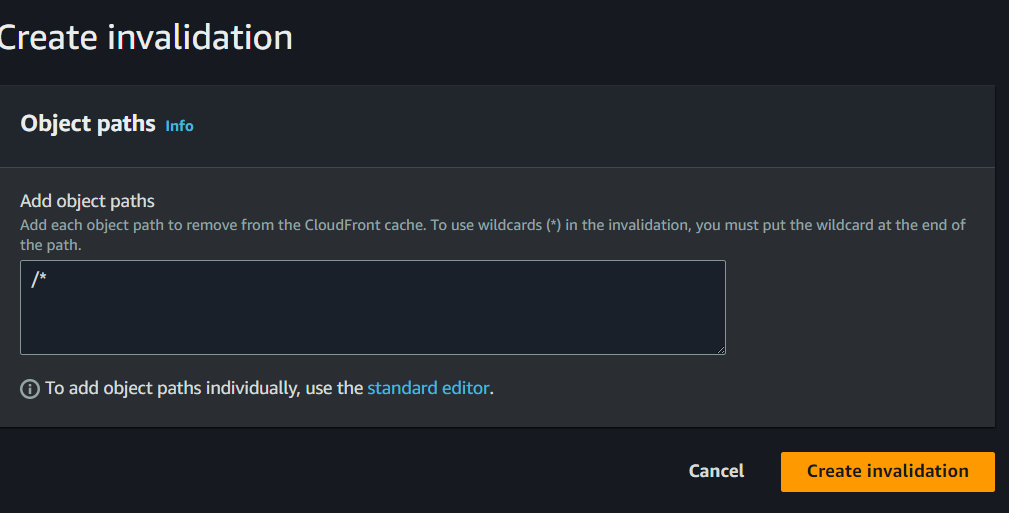
/* removes all matching objects from the CloudFront cache. For a narrower deployment, you can invalidate only the paths that actually need to be refreshed.Once the invalidation is processed, CloudFront can fetch the current object from S3 on the next request instead of continuing to serve the stale cached response.
For my site, that resolved the mismatch between what was deployed to S3 and what visitors were receiving through CloudFront.
Automating invalidations with GitHub Actions
Manually opening the AWS console after every deployment quickly becomes repetitive. Since the project is hosted on GitHub, I moved the invalidation step into the deployment workflow with GitHub Actions.
The following configuration is adapted from the Amazon CloudFront Invalidation Action:
- name: Configure AWS credentials
  uses: aws-actions/configure-aws-credentials@v1
  with:
    aws-access-key-id: ${{ secrets.AWS_ACCESS_KEY_ID }}
    aws-secret-access-key: ${{ secrets.AWS_SECRET_ACCESS_KEY }}
    aws-region: us-east-1

- name: Create CloudFront invalidation
  uses: josemando/aws-cloudfront-create-invalidation@v1
  with:
    distribution-id: ${{ secrets.AWS_DISTRIBUTION_ID }}
    paths: /*
The first step makes AWS credentials available to the workflow. The second creates a CloudFront invalidation for the configured distribution.
This turns cache invalidation into part of the deployment process instead of a manual recovery step after noticing that the site looks outdated.
Implementation noteStore values such as
AWS_ACCESS_KEY_ID,AWS_SECRET_ACCESS_KEY, andAWS_DISTRIBUTION_IDin repository secrets rather than committing them to the workflow file. GitHub documents how to manage these in its guide to using secrets in GitHub Actions.
NoteThe snippet above preserves the action versions from the original setup. If you are implementing this in a new repository, review the current releases and credential guidance for the actions you use before pinning versions.
Choosing what to invalidate
Invalidating /* is easy to reason about because it clears the entire distribution path space covered by the wildcard. It is also broader than many deployments need.
In this case, the real problem was the cached HTML entry point. The new JavaScript bundle already had a different hashed filename, so CloudFront did not need to replace the old filename with the new one. It needed to stop serving HTML that still referenced the old bundle.
That leads to a useful deployment rule: separate files whose URLs change when their content changes from files whose URLs stay stable.
For a typical static frontend build:
- Versioned or hashed assets can usually be cached aggressively because a content change produces a new URL.
- Stable entry points such as
index.htmlneed a cache policy or invalidation strategy that allows new deployments to become visible promptly. - A broad
/*invalidation is simple, while targeted invalidations give you more control over exactly what is refreshed.
The best choice depends on how your build outputs files and how your CloudFront behavior is configured, but understanding the distinction makes stale deployments much easier to diagnose.
Takeaway
The hardest part of this issue was not fixing it. It was recognizing that the deployment had already succeeded.
S3 contained the new build. CloudFront was simply serving an older cached entry point, which kept the browser connected to older asset filenames. Once I treated cache invalidation as part of deployment rather than an occasional manual fix, the workflow became much more predictable.
If an S3-backed site looks unchanged after a successful deploy, check the origin and CDN separately. Confirm what S3 contains, inspect what CloudFront is actually returning, and invalidate only the paths that need to be refreshed. Automating that step with GitHub Actions removes one more manual dependency from the release process.